
Your own board
Assessments
A per-quiz view of how learners perform on assessments across all courses, attempt volume, average score, pass rate, and average completion time, with a click-through drill-in to any quiz's score distribution and pass/fail breakdown. Aimed at spotting quizzes that are too hard, too easy, or being gamed. Works with LearnNoow and Moodle.



Create your own dashboard

Captured from the product
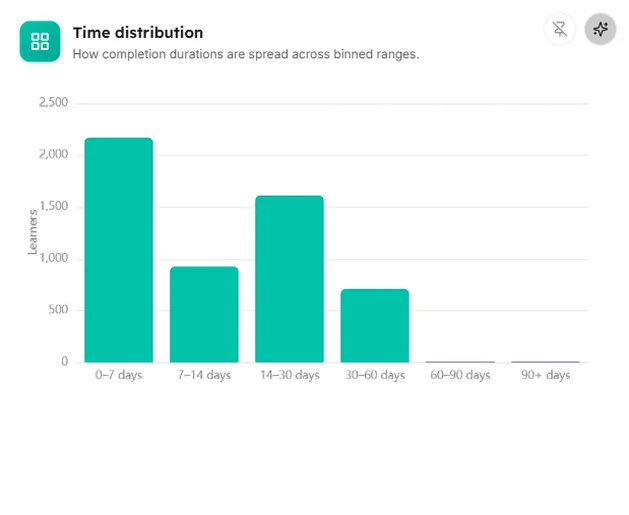
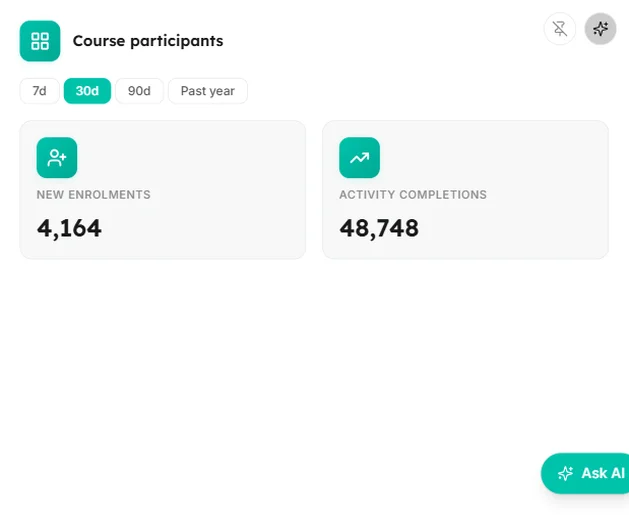
The assessments screen, as it actually looks
These are screenshots of the real cards, filled with the synthetic dataset the demo runs on. Yours draw from your own LMS.
Quizzes
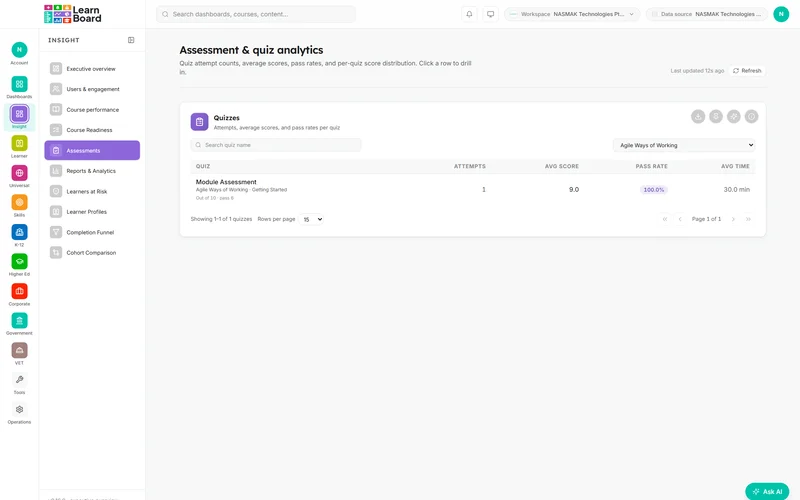
Every quiz with attempts, average score, pass rate, average time, course/topic trace, max & pass grade; row click drills in.

Quizzes, filtered to one course
The same screen narrowed to a single course, Agile Ways of Working. Attempts, scores and pass rate recompute for the slice.
Assessments
Everything on this screen and what shape it takes.
Every card carries an info tooltip stating what it shows and how it is computed, an Ask AI action scoped to its own figures, and a CSV export where the card has a CSV export.
- QuizzesData table (sort, paginate, CSV)
- Quiz detail: Score distributionHistogram
- Quiz detail: Pass / failDonut (centre pass %)
- Quiz detail: pass-rate tilesKPI tiles (2)
- Quiz detail: rapid-fire flagInline badge
Questions
How this screen is computed from the product's own documentation.
What does the assessments screen show?
A per-quiz view of how learners perform on assessments across all courses, attempt volume, average score, pass rate, and average completion time, with a click-through drill-in to any quiz's score distribution and pass/fail breakdown. Aimed at spotting quizzes that are too hard, too easy, or being gamed.
How is quizzes worked out?
Every quiz with attempts, average score, pass rate, average time, course/topic trace, max & pass grade; row click drills in.
How is quiz detail: score distribution worked out?
Attempt scores bucketed as % of the quiz maximum.
How is quiz detail: pass / fail worked out?
Graded attempts split passed vs failed.
How is quiz detail: pass-rate tiles worked out?
First-attempt pass rate and eventual pass rate.
How is quiz detail: rapid-fire flag worked out?
Warns of attempts finished suspiciously fast (<30s).
Which plan includes it?
The Core Analytics pack, with this screen on every plan, Free included. Every card on it carries an Ask AI action and an info tooltip, on every plan that includes the screen.
Which platforms does LearnBoard support?
LearnNoow and Moodle. Connect either one read-only and the same dashboards, charts, alerts and AI answers run on it. LearnNoow has LearnBoard built in; Moodle has one free companion plugin.

See assessments on your own LMS
One read-only connection and this screen fills with your figures. Assessments is in the Core Analytics pack, with this screen on every plan, Free included.
Built for LearnNoow and Moodle.