Mandatory Compliance
Tracks completion and validity of mandatory training assignments across the workforce, broken down by department, role or location. It highlights the compliant share, overdue and expiring items, ranks org units worst-first, and provides a chase worklist. Works with LearnNoow and Moodle.
- Ask AI on every cardEvery card can read itself back to you in plain English, scoped to its own figures.
- The method on the cardAn info tooltip states what each number counts and how it is computed.
- Yours the same sessionConnect read-only and this screen draws from your own LMS the day you do.

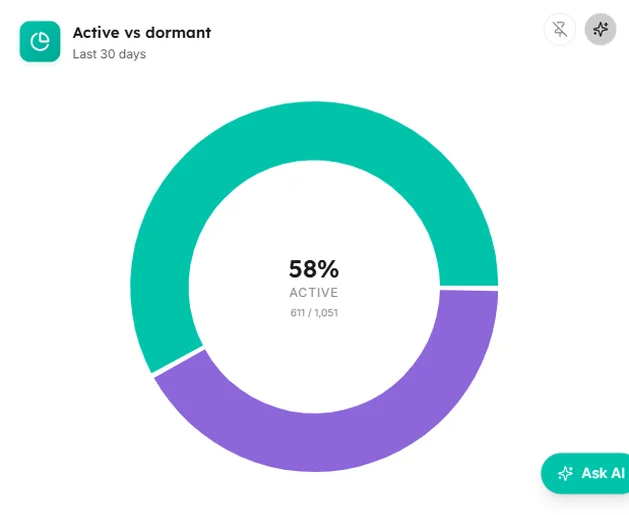


Captured from the product
The mandatory compliance screen, as it actually looks
These are screenshots of the real cards, filled with the synthetic dataset the demo runs on. Yours draw from your own LMS.
RAG grid
Org units (rows, worst-first, paginated) by mandatory requirements (columns), each cell a discrete RAG compliance band.

Overdue and non-compliant
The chase worklist, every assignment needing attention, most-urgent first.

Mandatory compliance
What is on this screen and how each part is worked out.
Every card carries an info tooltip with the same explanation, so nobody has to guess what a number counts.
KPI tiles
KPI strip (Compliant, Overdue, Expiring soon, Avg time-to-complete)
Four compliance headlines; the Overdue tile flips red when non-zero.
bar
Compliance by department/role/location
One bar per org unit on the chosen segment axis, ranked descending so the risk tail stands out; value = compliance rate, coloured by RAG band.
heatmap
RAG grid
Org units (rows, worst-first, paginated) by mandatory requirements (columns), each cell a discrete RAG compliance band.
table
Overdue and non-compliant
The chase worklist, every assignment needing attention, most-urgent first.
Questions
How this screen is computed from the product's own documentation.
What does the mandatory compliance screen show?
Tracks completion and validity of mandatory training assignments across the workforce, broken down by department, role or location. It highlights the compliant share, overdue and expiring items, ranks org units worst-first, and provides a chase worklist. Mandatory designations and org-unit metadata come from you, and setting them in LearnBoard is coming soon; until an organisation designates which training is mandatory, the surface renders a clean "setup required" empty state rather than fabricated data.
How is kpi strip (compliant, overdue, expiring soon, avg time-to-complete) worked out?
Four compliance headlines; the Overdue tile flips red when non-zero
How is compliance by department/role/location worked out?
One bar per org unit on the chosen segment axis, ranked descending so the risk tail stands out; value = compliance rate, coloured by RAG band
How is rag grid worked out?
Org units (rows, worst-first, paginated) by mandatory requirements (columns), each cell a discrete RAG compliance band
How is overdue and non-compliant worked out?
The chase worklist, every assignment needing attention, most-urgent first
Which plan includes it?
The Corporate L and D pack. Business, Scale and Enterprise all include every sector pack. Every card on it carries an Ask AI action and an info tooltip, on every plan that includes the screen.
Which platforms does LearnBoard support?
LearnNoow and Moodle. Connect either one read-only and the same dashboards, charts, alerts and AI answers run on it. LearnNoow has LearnBoard built in; Moodle has one free companion plugin.

See mandatory compliance on your own LMS
One read-only connection and this screen fills with your figures. Mandatory compliance is in the Corporate L and D pack. Business, Scale and Enterprise all include every sector pack.
Built for LearnNoow and Moodle.