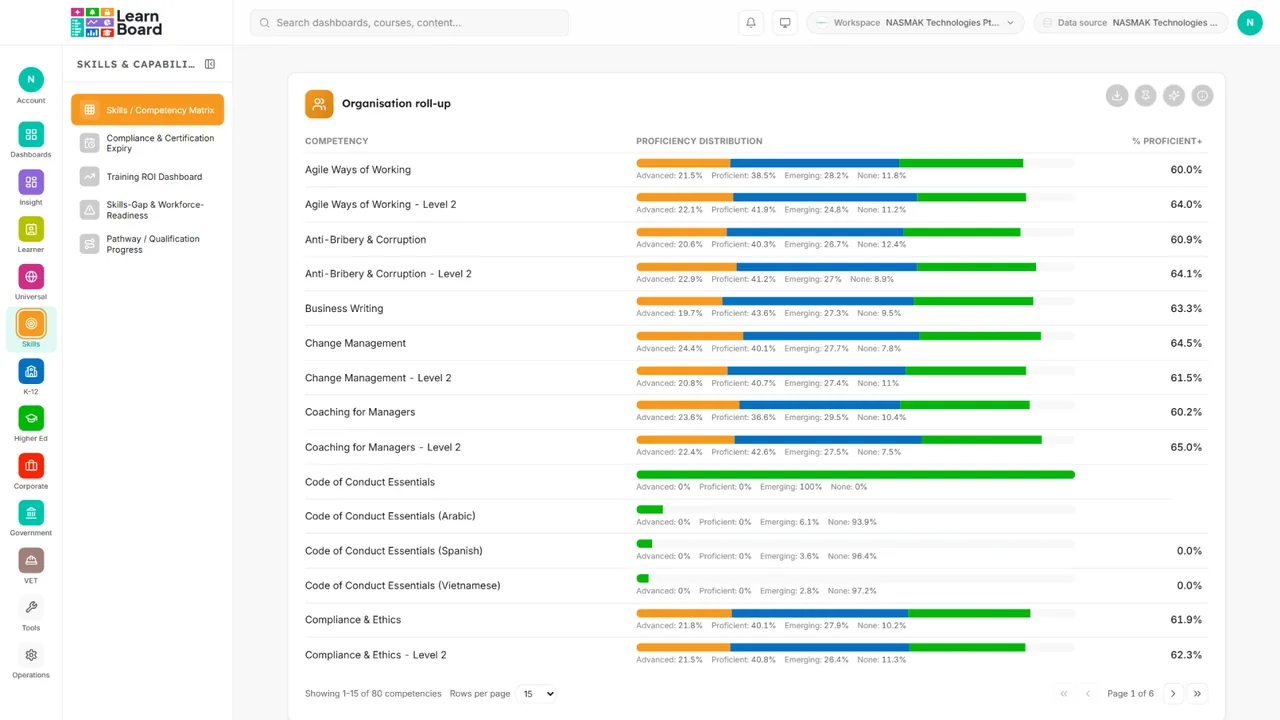
It is the chart, not a picture
The pin records which chart it is, so it stays live.
What you get
How you use it
Side by side

K-12 schools
Higher education
Corporate L&D
Government
Training providers
Any chart, table, KPI tile or AI result onto a board of your own, dragged where you want it. It redraws from the same data every time you open it, and everybody gets their own. Works with LearnNoow and Moodle.
Start freeInstant demo
It is the chart, not a picture
The pin records which chart it is, so it stays live.
Everyone gets their own
Compliance and finance are not stuck sharing a screen.
Share it three ways
With a person, with a role, or with the whole organisation.
Pin
Every card that is a registered widget kind carries a pin in the same corner as the Ask AI button. Pinning records which widget it is rather than a picture of it, which is why the card on your board is live rather than a screenshot from the day you pinned it.

Arrange
A drag handle, zoom at 100, 80, 65 and 50 per cent, overlap prevention, an auto-arrange that tidies KPI tiles into a compact top row, and a reset to the installation default if a board gets away from someone.
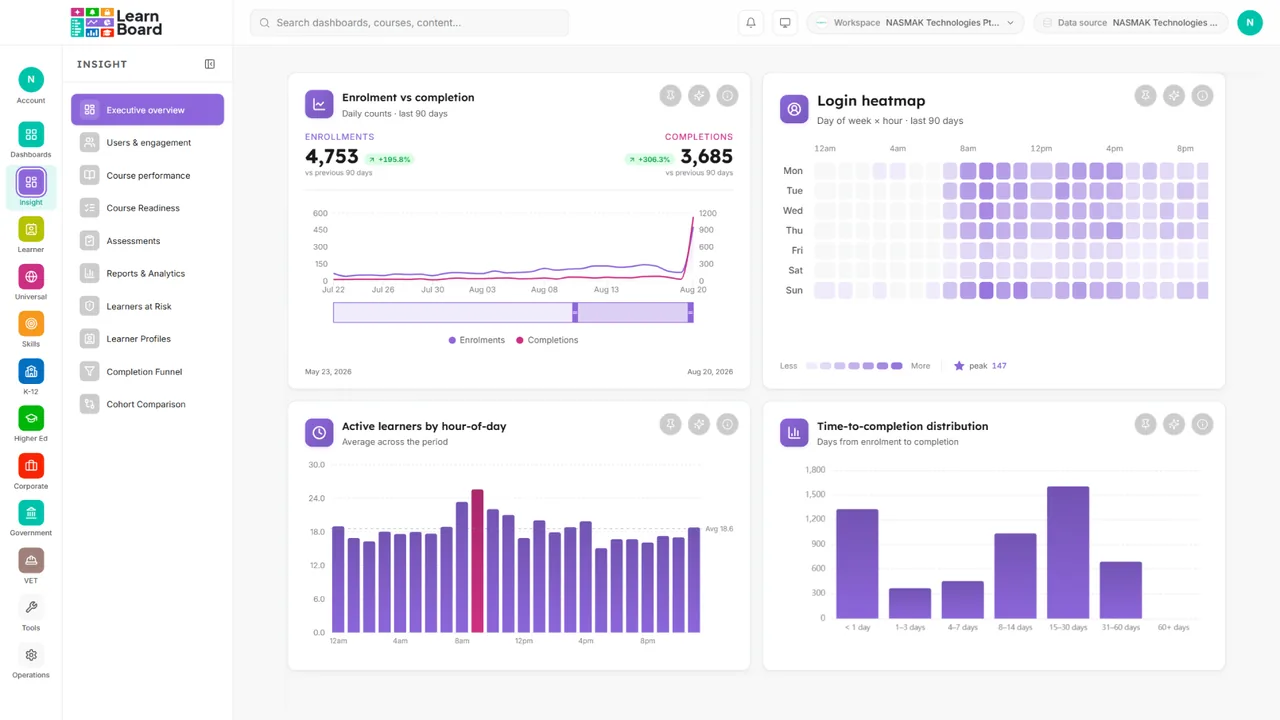
Share
Share a board read-only with named colleagues, with a whole role so an admin shares once and everyone holding that role sees it, or publish it across the workspace. Someone reading a shared board can take a copy and make it their own.

The builder
Pinning records which chart it is, not a picture of it, so a pinned card redraws from its own data every time the board opens.
Pin
Any chart, table, KPI tile or AI result carries a pin wherever it appears, and the pin remembers the widget rather than the image.
Live
Pinned widgets re-render from their own data hooks, so a board always reflects current data. AI snapshots are the one exception, and they are static on purpose.
Home
Set a board as your home and it is what opens. A star badge shows which one it is.
Defaults
An installation-wide default layout means a new user opens the arrangement your organisation chose, not the one we shipped.
Seats
Seats are what the plans meter: 1, 3, 10, 25, then unlimited. Viewer seats are unlimited on every plan, so a board can be read by anyone you share it with.
Inside your LMS
A board authored here can be mirrored read-only into a Moodle block, so it is governed centrally and copied nowhere.
Questions
Live. The pin records which widget it is and the card re-renders from its own data every time the board opens. The one exception is a pinned AI answer, which is a saved snapshot because the query behind it is deliberately never exposed.
One on Free, three on Pro, ten on Business, twenty-five on Scale and unlimited on Enterprise. Viewer seats are unlimited on every plan.
That is the point of it. The head of compliance and the finance director are not stuck sharing a screen, and each board can be shared with a person, with a role, or with the whole workspace.
Any chart, table or KPI tile that is a registered widget kind, from anywhere in the product, plus AI results. Footprints are standardised so a board stays tidy: wide, half, small and KPI.
Yes. The arrangement is stored per user, per workspace and per board, and there is a reset to the installation default.
Yes, a super admin sets an installation-wide default dashboard layout and default branding, and new workspaces and new users inherit both.
LearnNoow and Moodle. Connect either one read-only and the same dashboards, charts, alerts and AI answers run on it. LearnNoow has LearnBoard built in; Moodle has one free companion plugin.
Keep reading
Charts
Dashboards
Inside your LMS
Pricing
Pinning is on every plan, the free one included, with one seat to start. Connect and pin something today.
Built for LearnNoow and Moodle.