LearnBoard
Multilingual Completion
- Multilingual KPI strip
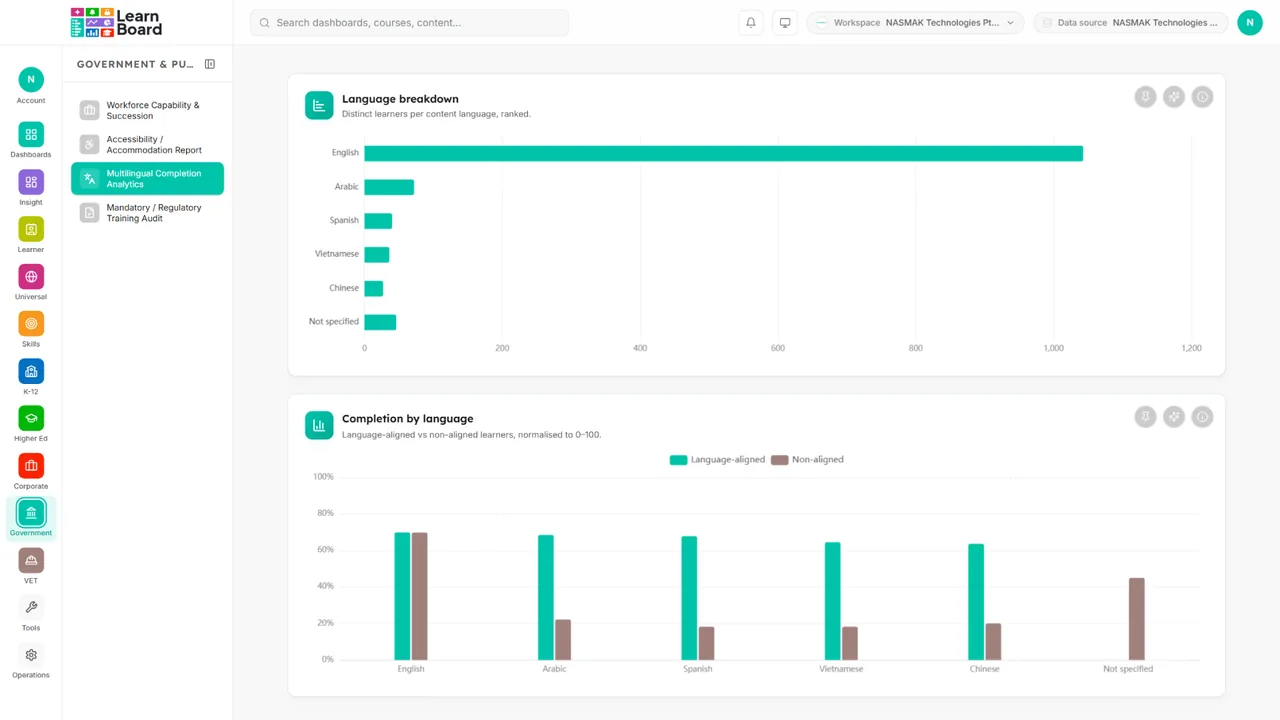
- Language breakdown
- Completion by language

Multilingual completion
Everything on this screen and what shape it takes.
Every card carries an info tooltip stating what it shows and how it is computed, an Ask AI action scoped to its own figures, and a CSV export where the card has a CSV export. Works with LearnNoow and Moodle.
- Multilingual KPI strip4 count-up tiles
- Language breakdownHorizontal ranked bar
- Completion by languageGrouped bar, normalised 0, 100
- Translation effectivenessSide-by-side comparison card (per language pair)
Captured from the product
The multilingual completion screen, as it actually looks
These are screenshots of the real cards, filled with the synthetic dataset the demo runs on. Yours draw from your own LMS.
Language breakdown
Distinct learners per content language, ranked.
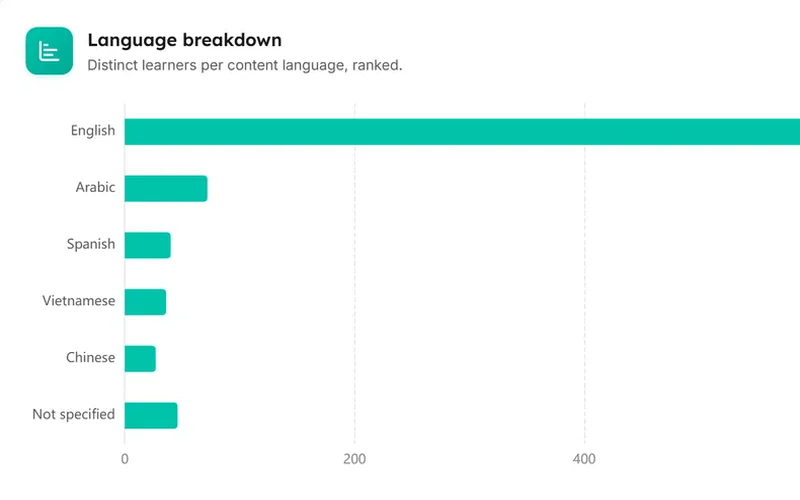
Completion by language
Aligned vs non-aligned completion per content language.

Multilingual completion
What is on this screen and how each part is worked out.
Every card carries an info tooltip with the same explanation, so nobody has to guess what a number counts.
4 count-up tiles
Multilingual KPI strip
Content languages, overall completion rate, language-aligned learners %, translated-content completion.
Horizontal ranked bar
Language breakdown
Distinct learners per content language, ranked.
Grouped bar, normalised 0, 100
Completion by language
Aligned vs non-aligned completion per content language.
Side-by-side comparison card
Translation effectiveness
Source vs translated variant: completion rate + activity-progression rate, with translation-method badge.
Questions
How this screen is computed from the product's own documentation.
What does the multilingual completion screen show?
Reports how learning outcomes vary by content language and by language alignment: the language mix in scope, completion of language-aligned vs non-aligned learners, and (where translated variants exist) source-vs-translated performance per language pair. A single-language organisation renders coherently, one bar, an empty translation card, never an error and never fabricated languages. (On the live OT-SAT source, course language is empty everywhere, so "Not specified" and ~0% alignment are per-spec, not a bug.).
How is multilingual kpi strip worked out?
Content languages, overall completion rate, language-aligned learners %, translated-content completion
How is language breakdown worked out?
Distinct learners per content language, ranked
How is completion by language worked out?
Aligned vs non-aligned completion per content language
How is translation effectiveness worked out?
Source vs translated variant: completion rate + activity-progression rate, with translation-method badge
Which plan includes it?
The Government pack. Business, Scale and Enterprise all include every sector pack. Every card on it carries an Ask AI action and an info tooltip, on every plan that includes the screen.
Which platforms does LearnBoard support?
LearnNoow and Moodle. Connect either one read-only and the same dashboards, charts, alerts and AI answers run on it. LearnNoow has LearnBoard built in; Moodle has one free companion plugin.

See multilingual completion on your own LMS
One read-only connection and this screen fills with your figures. Multilingual completion is in the Government pack. Business, Scale and Enterprise all include every sector pack.
Built for LearnNoow and Moodle.