Users and Engagement
A single view of the user base: breakdown by account status, registration trend, sign-in frequency and recency, new-cohort retention, and a searchable directory of every user. Status KPI tiles double as filtered entry points into the directory. Works with LearnNoow and Moodle.
- Ask AI on every cardEvery card can read itself back to you in plain English, scoped to its own figures.
- The method on the cardAn info tooltip states what each number counts and how it is computed.
- Yours the same sessionConnect read-only and this screen draws from your own LMS the day you do.



In detail
What is on this screen
6 cards, each with an info tooltip that states what it shows and how it is counted. The same explanation appears in the product and in this list.
Status KPI strip
Total users, Active, Inactive, Suspended, Hidden, each links into the directory filtered by that status.
Registration trend
New accounts created per day over 90 days.
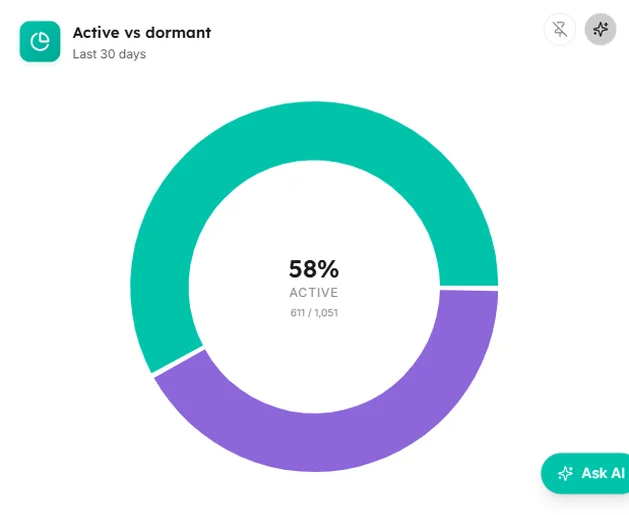
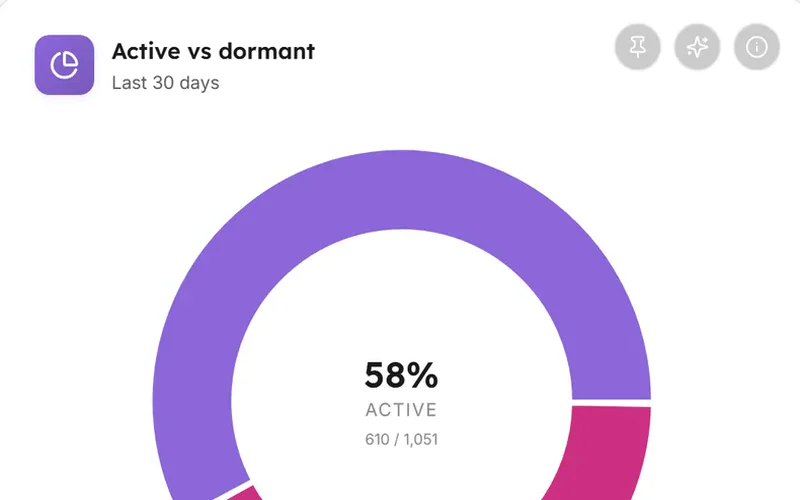
Active vs dormant
Share signed in within 30 days vs not.
Login frequency
Users bucketed by sign-in count over 90 days.
Cohort retention curve
Of users registered in last 180 days, share still active at day 1 / 7 / 30 / 90.
All users (directory)
Name, Username, Email, Status badge, Last access, Registered, Enrolled, Completed; filter by search + status chip.
Captured from the product
The users and engagement screen, as it actually looks
These are screenshots of the real cards, filled with the synthetic dataset the demo runs on. Yours draw from your own LMS.
Registration trend
New accounts created per day over 90 days.

Active vs dormant
Share signed in within 30 days vs not.
Login frequency
Users bucketed by sign-in count over 90 days.

Cohort retention curve
Of users registered in last 180 days, share still active at day 1 / 7 / 30 / 90.

Questions
How this screen is computed from the product's own documentation.
What does the users and engagement screen show?
A single view of the user base: breakdown by account status, registration trend, sign-in frequency and recency, new-cohort retention, and a searchable directory of every user. Status KPI tiles double as filtered entry points into the directory.
How is status kpi strip worked out?
Total users, Active, Inactive, Suspended, Hidden, each links into the directory filtered by that status.
How is registration trend worked out?
New accounts created per day over 90 days.
How is active vs dormant worked out?
Share signed in within 30 days vs not.
How is login frequency worked out?
Users bucketed by sign-in count over 90 days.
How is cohort retention curve worked out?
Of users registered in last 180 days, share still active at day 1 / 7 / 30 / 90.
Which plan includes it?
The Core Analytics pack, with this screen on every plan, Free included. Every card on it carries an Ask AI action and an info tooltip, on every plan that includes the screen.
Which platforms does LearnBoard support?
LearnNoow and Moodle. Connect either one read-only and the same dashboards, charts, alerts and AI answers run on it. LearnNoow has LearnBoard built in; Moodle has one free companion plugin.

See users and engagement on your own LMS
One read-only connection and this screen fills with your figures. Users and engagement is in the Core Analytics pack, with this screen on every plan, Free included.
Built for LearnNoow and Moodle.