

From the Executive overview
Activity trend, Top courses by enrolment, Completion funnel, Enrolment vs completion, Learners at risk, Certificate issuance, Average quiz score, Engagement by category.
A scheduled report emails your workspace’s headline figures, with any CSV files you choose attached, on a schedule you set: every day, every week or every month. The people you send it to do not need a LearnBoard login. Scheduled reports are set up by workspace administrators, from Admin console, Scheduled reports, on plans that include them.
At a glance
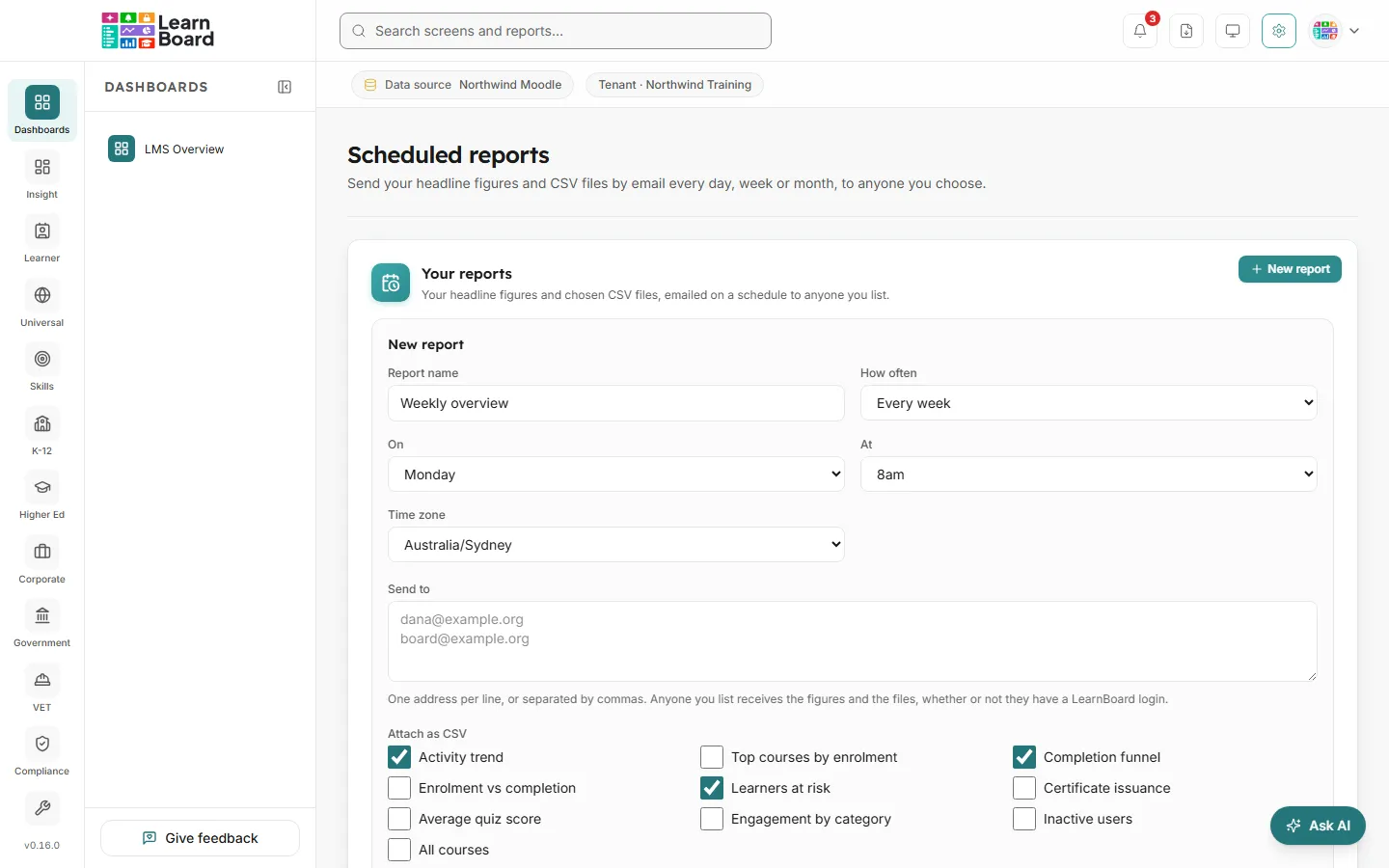
Reports are sent within fifteen minutes of the hour you choose, in their own time zone.
The headline figures, always: Total users, Active learners in the last 30 days (with the change on the previous 30 days), Courses, Enrolments, Completion rate and Active cohorts. The words mean the same as on screen; see the definitions.
The CSV files you ticked, attached. The choices are:
From the Executive overview
Activity trend, Top courses by enrolment, Completion funnel, Enrolment vs completion, Learners at risk, Certificate issuance, Average quiz score, Engagement by category.
From other screens
Inactive users, All courses.
New reports start with Activity trend, Completion funnel and Learners at risk ticked.
The Your reports table shows each Report with its schedule (for example “Every Monday at 8am”) and what it includes, who it is Sent to, the Next send, the Last send, and an On switch.
Last send shows Sent with the time, Not sent yet, or Not sent: with the reason, for example when the figures could not be read from the learning platform at that moment.