

The full-page view and main-menu link
The LearnBoard page is a full-width view of your LearnBoard dashboards inside Moodle. Unlike a block, which sits on another page, it is a page of its own, reached from Moodle’s main menu or any link you add. This page is for Moodle administrators and for everyone who uses it.
At a glance
Section titled “At a glance”- Address:
https://your-moodle/blocks/learnboard/index.php. - Each dashboard Moodle may show is a tab. The workspace’s main dashboard, usually LMS Overview, comes first.
- The header has Last updated and Refresh, Full screen, Open in LearnBoard, and for site administrators Edit dashboards in LearnBoard.
- On Moodle 4.3 and later, a LearnBoard item is added to the main menu for people allowed to see it.
- Themes with their own menu or sidebar need the link added in the theme’s settings.
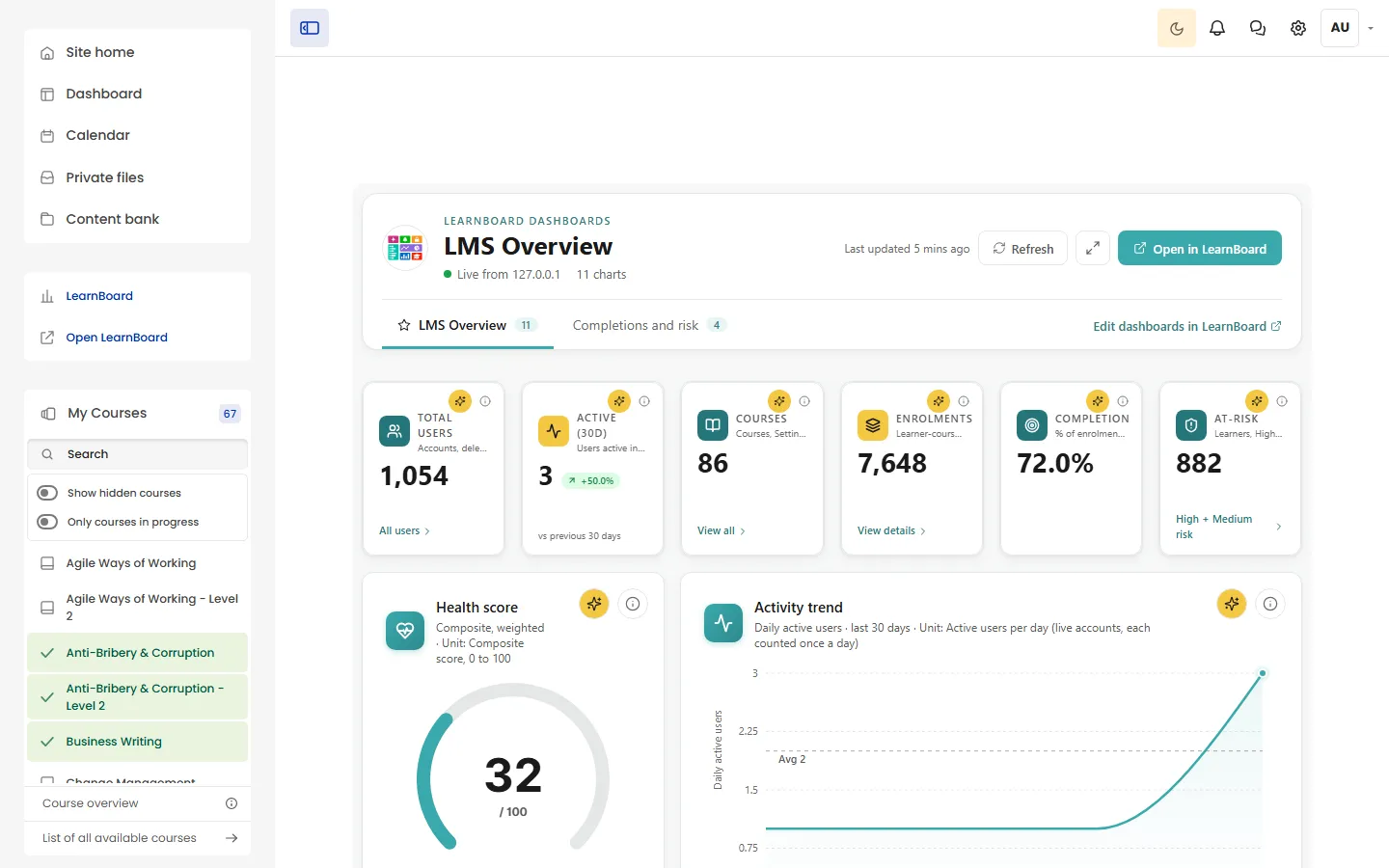
The header
Section titled “The header”| Part | What it does |
|---|---|
| LearnBoard dashboards and the dashboard name | Which dashboard you are looking at. |
| Live from your site | The figures come from this Moodle site. |
| N charts | How many charts the dashboard holds. |
| Last updated and Refresh | How old the oldest figure on the page is. Refresh fetches every figure again. |
| Full screen | Fills the screen with the dashboard. Press it again (Exit full screen) or Esc to come back. |
| Open in LearnBoard | Opens the full LearnBoard app in a new tab. With per-user sign-in on, it signs you straight in. |
| Tabs | One per dashboard. The workspace’s main dashboard has a star and comes first. Each tab shows its chart count. With more than six dashboards, the tabs become a Dashboard dropdown. |
| Edit dashboards in LearnBoard | Opens LearnBoard’s dashboards list. Shown to people who can configure the Moodle site. |
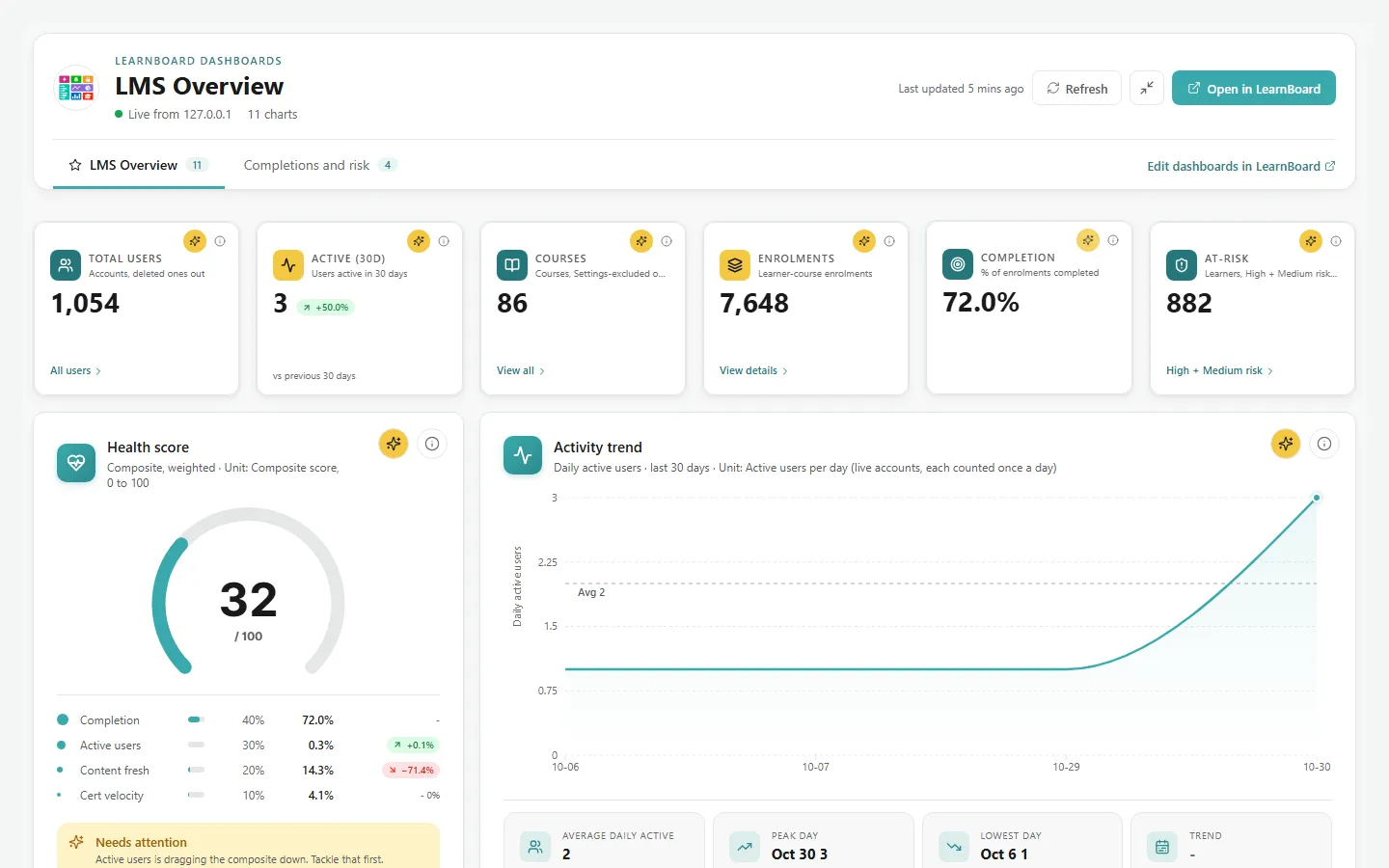
Which dashboards are tabs
Section titled “Which dashboards are tabs”The same dashboards a block can link to: the workspace’s LMS Overview, every dashboard published to everyone in the workspace, and every dashboard shared with Moodle Embed (read-only). To add a tab, share a dashboard with Moodle in LearnBoard and reload the page. See Linked dashboards.
A tab’s address is index.php?d= followed by the dashboard’s number, so you can link straight to one dashboard.
Who can open it
Section titled “Who can open it”Anyone signed in to Moodle can open the address. What they see:
- With per-user sign-in on, the dashboards, with figures limited to their role.
- Without per-user sign-in, only people with
block/learnboard:viewat site level see the dashboards. Everyone else sees “LearnBoard analytics are not available for your account here. Ask a site administrator if you need access.”

The main-menu item
Section titled “The main-menu item”The plugin adds LearnBoard to Moodle’s main menu (the primary navigation) when:
- Show LearnBoard in the main menu is on (the default),
- the site is connected, and
- the person may be given LearnBoard at site level: with per-user sign-in on, anyone signed in; without it, holders of
block/learnboard:viewat site level.
Guests never see it. To remove it, turn Show LearnBoard in the main menu off on the LearnBoard settings page.
Moodle versions before 4.3 do not let a plugin add to the main menu, so add a custom menu item:
-
Go to Site administration > Appearance > Advanced theme settings.
-
In Custom menu items, add this line:
LearnBoard|/blocks/learnboard/index.php -
Click Save changes.
Step 3 of Connect to LearnBoard shows the same line, with your site’s full address.
Themes with their own menu
Section titled “Themes with their own menu”Some themes draw their own navigation, often a left-hand sidebar, and choose its items themselves. The LearnBoard main-menu item does not appear there, even on Moodle 4.3 and later. Add the link in the theme’s own settings instead:
- If the theme shows Moodle’s Custom menu items, add
LearnBoard|/blocks/learnboard/index.phpthere. - If it has its own sidebar or menu links, paste the address
/blocks/learnboard/index.phpthere. For example, the Space theme takes extra sidebar content from its Sidebar settings (Custom Text (Middle) in the version we tested).
Messages on the page
Section titled “Messages on the page”| Message | Why |
|---|---|
| The LearnBoard connection is not set up yet. A site administrator connects it under Site administration → Plugins → Blocks → Connect to LearnBoard. | The site has no connection. |
| No LearnBoard dashboards are shared with this site yet. In LearnBoard, open a dashboard, click Share, and either add “Moodle Embed (read-only)” under Share with people or publish it to everyone in the workspace. Then reload this page. | Moodle can see no dashboard. |
| Could not connect to LearnBoard. Check the API base URL, embed key and tenant slug in the LearnBoard integration settings. | Moodle could not get a pass from LearnBoard. |
See Troubleshooting.