

AI transparency
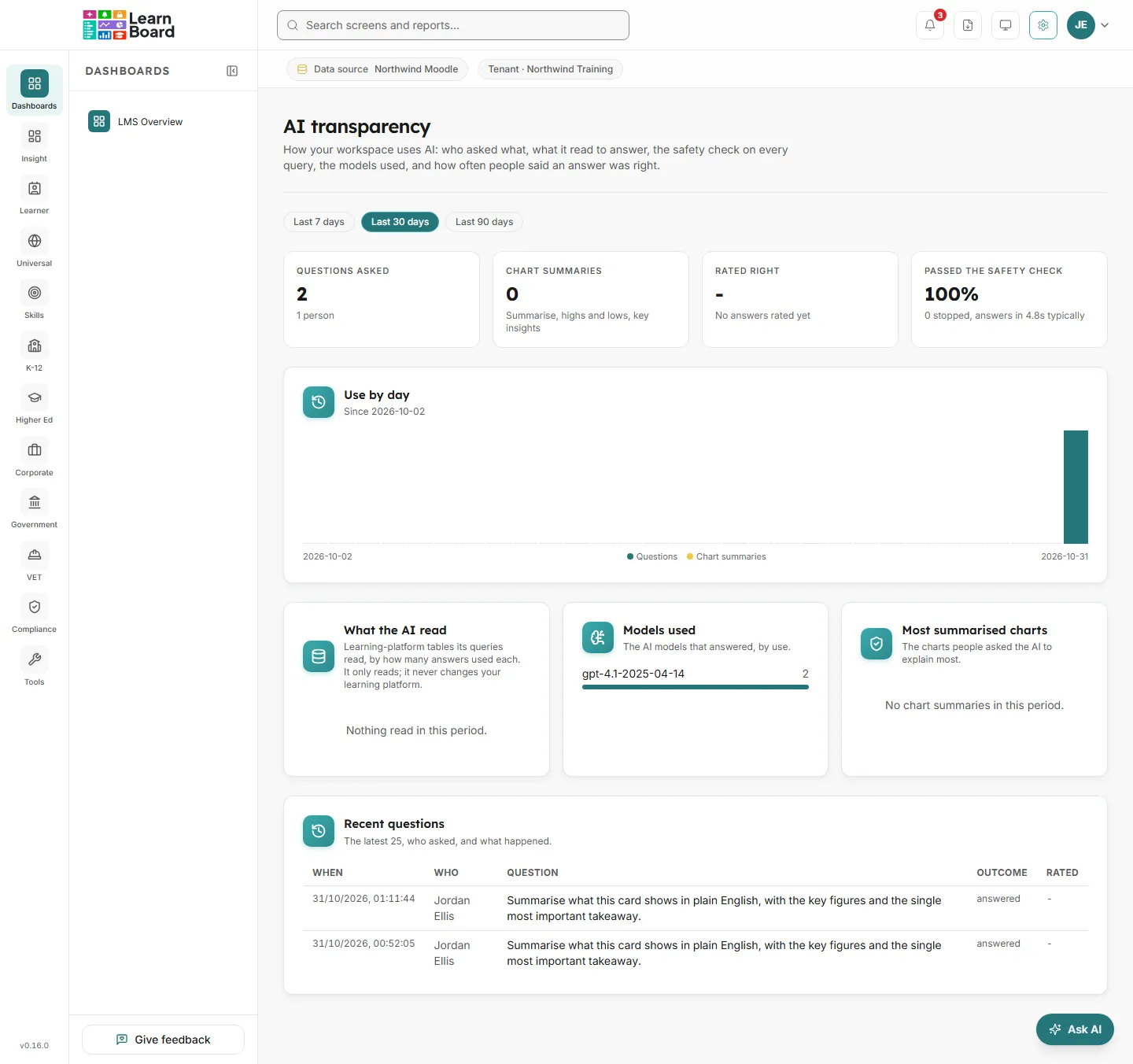
AI transparency shows how your workspace uses the AI assistant: who asked what and when, which learning-platform tables it read to answer, how often the safety check stopped a query, which models answered, and how often people said an answer was right. It is the screen to show when someone asks how your analytics AI is used.
At a glance
- Who can open it: the Admin role, with Edit per-tenant reporting configuration (
manage.reporting-config). Anyone else sees “You do not have permission to see AI use for this workspace.” - Where: Admin console, AI transparency, at
/admin/ai-transparency. - Choose a period: Last 7 days, Last 30 days or Last 90 days. It opens on 30 days.
- Built only from what LearnBoard already records, plus the optional rating on an answer. It changes nothing.
- The AI only reads your learning platform. It never changes it.
Headline figures
Section titled “Headline figures”How many questions were put to the assistant in the period, with how many people asked them, plus how many came from Moodle.
How many times people asked the AI to explain a chart: Summarise, highs and lows, and key insights.
Of the answers someone rated, the share rated right, with the counts, for example how many of how many. Shows “No answers rated yet” until someone rates one.
The share of answers whose query passed the safety check, with how many were stopped and how quickly answers typically came back.
- How it is worked out: before any query the AI writes is run, LearnBoard checks that it only reads and only touches what it is allowed to. A query that fails is stopped and never runs.
Use by day
Section titled “Use by day”Questions and chart summaries for each day of the period. The subtitle says the date it starts from.
- What you can do: hover a day for its question and summary counts.
What the AI read
Section titled “What the AI read”The learning-platform tables the assistant’s queries read, ranked by how many answers used each. It only reads; it never changes your learning platform. With no use, it says “Nothing read in this period.”
Models used
Section titled “Models used”The AI models that answered, by how many times each was used.
Most summarised charts
Section titled “Most summarised charts”The charts people asked the AI to explain most often.
Recent questions
Section titled “Recent questions”The latest 25 questions, who asked, and what happened.
- How to read it: When it was asked, Who asked (or “A Moodle user” for a question asked from Moodle), the Question, the Outcome (answered, stopped by the safety check, or no answer) and how it was Rated (right, wrong, or a dash when nobody rated it).