

Get set up
LearnBoard for Moodle
LearnBoard for Moodle (block_learnboard) is the free Moodle plugin that connects a Moodle site to a LearnBoard workspace. It is for the Moodle administrator who installs it, and for the managers, teachers and learners who then see LearnBoard charts inside Moodle without signing in a second time.
At a glance
Section titled “At a glance”- One plugin does all of it. Charts on Moodle pages, a full-page LearnBoard view, single sign-on and the data connector that lets LearnBoard read your site.
- Charts are drawn in the page, not in an iframe. They take the site’s light or dark mode and stay readable on a phone.
- One code connects the site. You paste a connection code made in LearnBoard and save. Nothing else to type.
- Everyone sees only what their role allows. With per-user sign-in on, each chart runs as the person viewing it.
- LearnBoard only reads. The data connector refuses anything that is not a read, and runs every query on a read-only database session.
- Version 1.1.19 (
2026103101), for Moodle 4.0 to 5.3. The source is public at github.com/NASMAK-Technologies/moodle-block_learnboard.
What you get in Moodle
Section titled “What you get in Moodle”A block with live charts
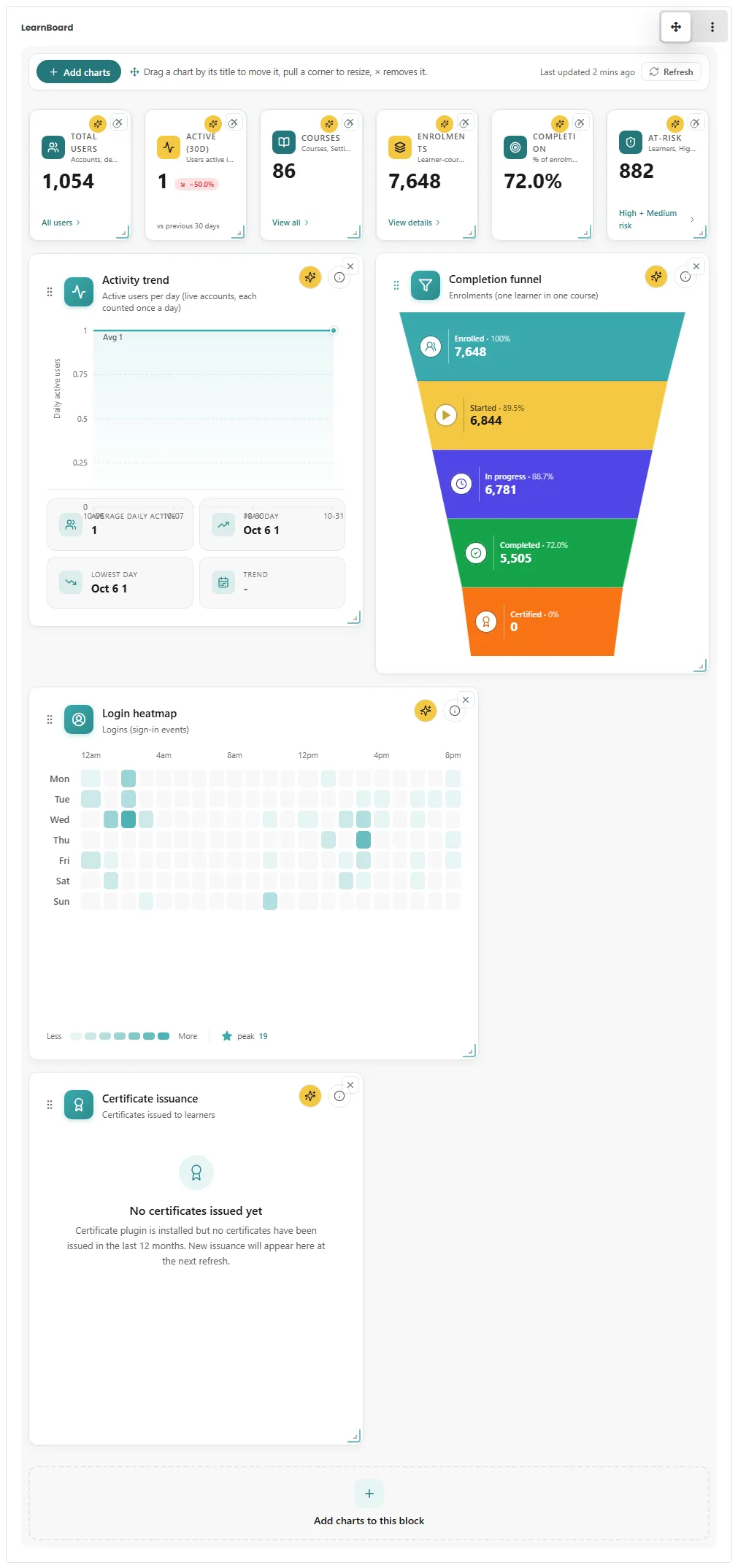
Section titled “A block with live charts”Add the LearnBoard block to the Dashboard, a course page, the site front page or any other page. A block can show charts you arrange in Moodle, mirror a dashboard built in LearnBoard, or show each person their own view: My team for people who lead groups and My learning for learners.
A full-page LearnBoard view
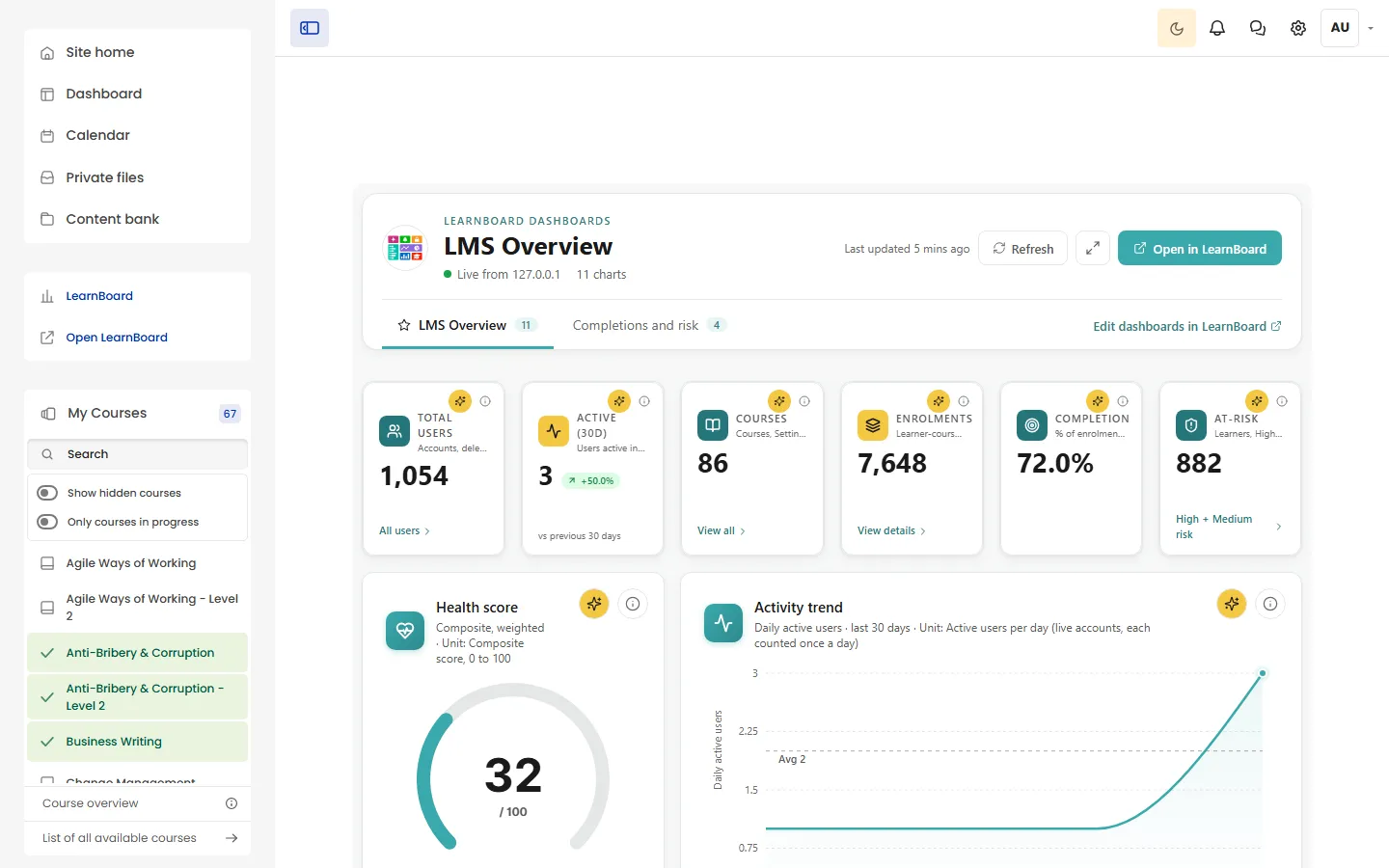
Section titled “A full-page LearnBoard view”/blocks/learnboard/index.php shows your LearnBoard dashboards full width inside Moodle, with tabs, Refresh, Full screen and Open in LearnBoard. On Moodle 4.3 and later it is added to the main menu for people allowed to see it.
Sign-in without a second password
Section titled “Sign-in without a second password”With per-user sign-in on, the plugin tells LearnBoard who is viewing, and LearnBoard limits every chart to what that person’s Moodle roles allow. Staff and learners can open the full LearnBoard app from Moodle without signing in again.
A data link that only reads
Section titled “A data link that only reads”LearnBoard reads your site’s reporting data through the plugin, over the HTTPS address your site already serves. Your database never has to accept a connection from outside the server.
Who does what
Section titled “Who does what”| Person | What they do with the plugin |
|---|---|
| Moodle administrator | Installs the plugin, pastes the connection code, sets sign-in, role mapping and the main-menu entry. |
| LearnBoard workspace administrator | Makes the connection code, shares the dashboards Moodle may show. |
| Manager or teacher with editing rights | Adds LearnBoard blocks to pages and arranges their charts. |
| Teacher or company manager | Sees My team: the people in their own groups. |
| Learner | Sees My learning: their own progress. |
Pages in this section
Section titled “Pages in this section”Sign-in and roles
Blocks and charts
Who sees what
The LearnBoard page
Data and security
Look after it
Upgrading and uninstalling, troubleshooting and the FAQ.
Related
Section titled “Related”Download and installInstall the ZIP in Moodle in a few minutes.
Connect to LearnBoardPaste one connection code and save.