

Insight
The core screens: Executive Overview, Users & Engagement, Course Performance, Course Readiness, Assessments, Reports & Analytics, Learners at Risk, Learner Profiles, Completion Funnel and Cohort Comparison.
Every LearnBoard workspace is on a plan, and the plan decides which sections of dashboards and which features the workspace can use. This page explains what you see when something is not included, for everyone in a workspace. It does not cover prices; for those, see the plans page on the LearnBoard website.
At a glance
The screens are grouped into packs, which follow the sections of the menu:
Insight
The core screens: Executive Overview, Users & Engagement, Course Performance, Course Readiness, Assessments, Reports & Analytics, Learners at Risk, Learner Profiles, Completion Funnel and Cohort Comparison.
Universal
Completion & Certification Trend, Course Effectiveness Scorecard, Assessment Analytics Deep-Dive, Time-to-Completion, AI-Generated Insight Summary and Course Feedback.
Skills & Capability
Competency Matrix, Certification Expiry, Training ROI, Skills-Gap & Workforce Readiness and Pathway Progress.
Sector packs
K-12, Higher Education, Corporate & Enterprise, Government & Public Sector, and VET & RTO.
A few screens belong to the platform rather than to a pack: the Compliance report, the AI Assistant, Alerts, Personal Dashboards and My Learning. A plan can still leave out the Compliance report or Alerts. The AI assistant is limited by the plan’s AI allowance rather than by a pack.
A plan can include a number of sector packs for you to choose from. Until an administrator chooses which sector the workspace is in, those packs stay locked, and administrators see a notice: Your plan includes a sector pack that is not in use. Press Choose a pack to pick the sector that matches your organisation. Its dashboards open in the menu straight away, and you can change the choice at any time.
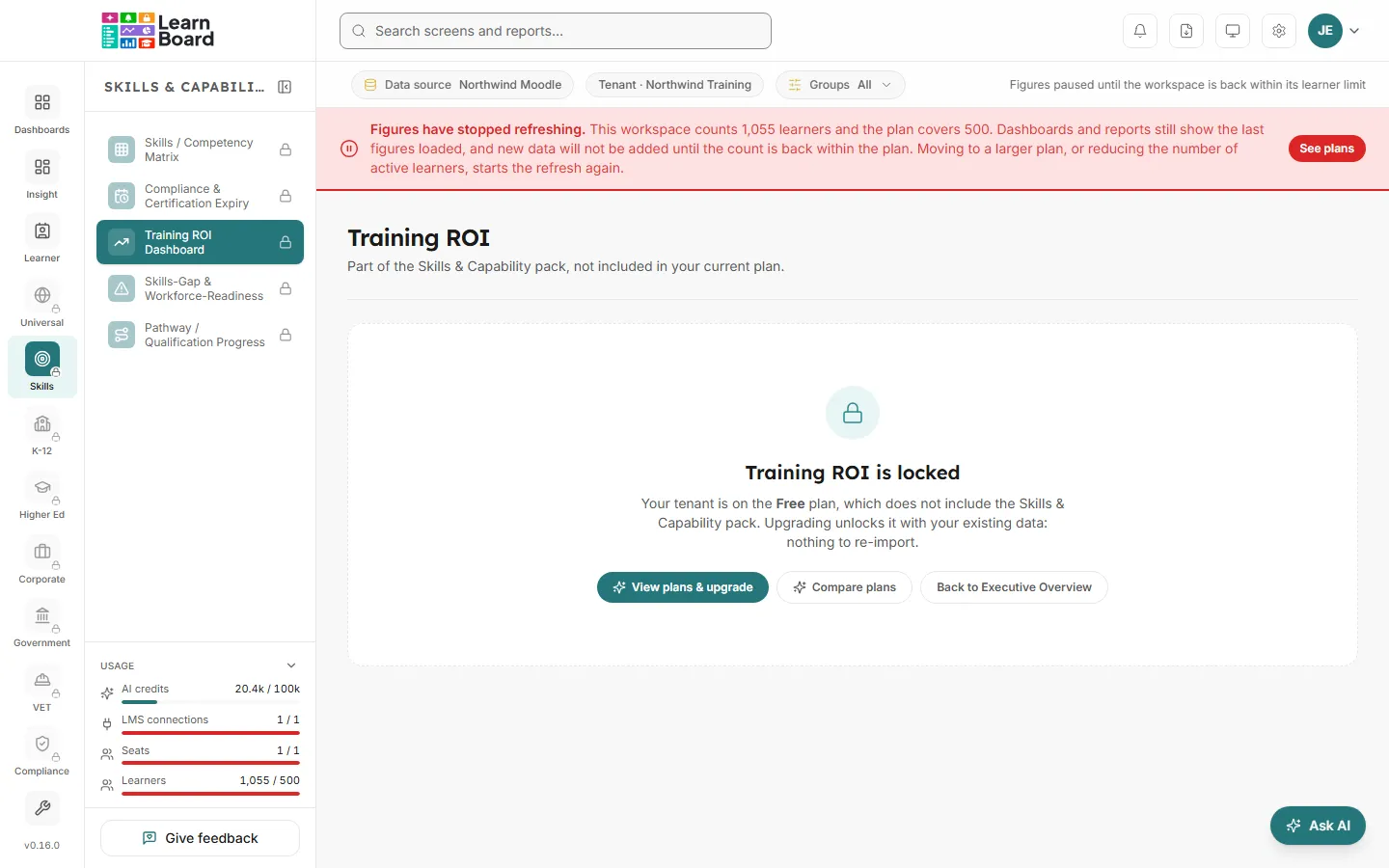
In the menu, a locked screen is greyed with a padlock, and hovering it says not included in your plan. If every screen in a section is locked, the section’s tile wears the padlock too. You can still click it.
The screen then shows, instead of its cards:
Then the ways forward:
Besides screens, a plan can leave out some features. Each one says so where you would use it:
A few notices can appear across the top of the page:
Each notice can be dismissed with its close button.