

Per-user sign-in (SSO)
Per-user sign-in decides who LearnBoard thinks is looking at a chart. With it on, every chart in Moodle runs as the person viewing it, and LearnBoard shows them only what their Moodle roles allow. It is for the Moodle administrator deciding how the plugin should behave.
At a glance
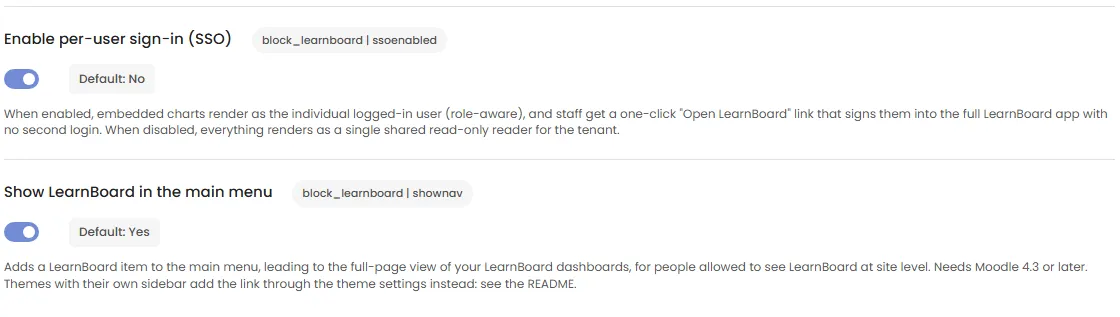
Section titled “At a glance”- Setting: Enable per-user sign-in (SSO) on the LearnBoard settings page.
- Saving a connection code switches it on. You can switch it off.
- On: each person gets their own short-lived pass, limited to the LearnBoard role their Moodle roles map to. My team and My learning work.
- Off: one shared read-only reader for the whole workspace, given only to people with
block/learnboard:viewat site level. - Nobody types a LearnBoard password: Moodle tells LearnBoard who the person is, server to server.
What changes when it is on
Section titled “What changes when it is on”| Per-user sign-in on | Per-user sign-in off | |
|---|---|---|
| Who the charts run as | The person viewing the page | One shared, read-only reader for the workspace |
| Who can see charts | Any signed-in person (guests never) | Only people with block/learnboard:view at site level, by default site administrators and anyone holding Manager or Course creator at site level |
| What a teacher sees | Their own groups (as a Team lead) | Nothing, unless they hold the capability at site level |
| My team and My learning | Work | Do not work; authors see a notice |
| Open in LearnBoard on the LearnBoard page | Signs the person straight into LearnBoard | Opens LearnBoard itself, where they sign in as usual |
/blocks/learnboard/sso.php |
Signs the person into their own LearnBoard account | Shows “Opening the full LearnBoard app is not available for your account.” |
What is sent to LearnBoard
Section titled “What is sent to LearnBoard”When a page with LearnBoard charts loads, your Moodle server (never the browser) sends LearnBoard:
- the Moodle user id,
- the person’s full name,
- the Moodle roles they hold anywhere on the site, and the LearnBoard roles those map to,
- your site’s address.
LearnBoard answers with a short-lived, read-only pass for that person. The charts use the pass, and the plugin renews it before it runs out, so a page left open keeps working. If the session can no longer be renewed, the block says “Your session has ended, so these figures are no longer updating. Reload the page to continue.”
See Privacy and data.
Which LearnBoard role a person gets
Section titled “Which LearnBoard role a person gets”The role comes from Role mapping. Out of the box:
| Moodle role | LearnBoard role |
|---|---|
| Site administrator | Embed Service (read-only, whole workspace) |
| Manager, Course creator, Teacher, Non-editing teacher | Embed Service |
| Student | Learner |
| Anyone not mapped | Learner |
LearnBoard then narrows the read-only workspace view and the Learner role from what your Moodle says about the person:
- A site administrator, or someone with the Manager role at site level, keeps the read-only view of the whole workspace.
- Someone who leads courses, for example a teacher or a non-editing teacher, or holds a role whose short name contains manager, supervisor or lead, becomes a Team lead and sees only the people in their own groups, in the courses they lead.
- Anyone else is a Learner and sees only their own progress.
A role you map to something with more rights than the read-only view is not narrowed: you chose it.
I already have a LearnBoard account. How do I use it from Moodle?
Section titled “I already have a LearnBoard account. How do I use it from Moodle?”Without linking, opening LearnBoard from Moodle signs you in with a separate account made for your Moodle user. To use your own LearnBoard account instead, link it once:
- Sign in to LearnBoard with your own account and open Profile & account.
- Under Moodle account, press Link my Moodle account. If the workspace has more than one Moodle site, pick it under Moodle site first.
- Moodle opens. Confirm while signed in to Moodle as yourself.
- Back in LearnBoard it says “Linked. Opening LearnBoard from Moodle now signs you in as this account.”
After that:
- Opening LearnBoard from that Moodle site signs you in to your own account, with your own role. Moodle never changes it.
- If your account uses two-factor sign-in, LearnBoard still asks for the code.
- A Moodle administrator using Log in as cannot open your account.
- Unlink on the same page undoes it: “Unlinked. Moodle sign-in no longer opens this account.”
- If someone else is already signed in to LearnBoard in that browser, LearnBoard asks before switching to the Moodle user.
The link is made for one Moodle site at a time. The request expires after 10 minutes and works once.
Without per-user sign-in
Section titled “Without per-user sign-in”Without per-user sign-in, the only pass the plugin can get is the shared reader, which sees every learner in the workspace. So the plugin gives it only to people who may see LearnBoard across the whole site: holders of block/learnboard:view in the system context. By default that is site administrators and anyone holding the Manager or Course creator role at site level.
A teacher holds that capability in their own courses, not at site level, so without per-user sign-in they see no charts. Turn per-user sign-in on and they see their own groups instead.